
Key takeaway: IPTV vs cable, short answer: for most households with steady broadband, IPTV costs far less than cable and works on more screens. Cable still wins if your internet is slow or unreliable, or if someone at home wants a TV that never needs an app.
The average US cable bill is around $147 a month, according to CableTV.com’s State of TV 2026 report, while streaming households spend about $30. That gap is why so many families are asking whether cable is still worth it. However, price is only part of the story. Reliability, convenience and the people in your home matter just as much.
This guide compares IPTV vs cable side by side, in plain English. First we look at what you really pay, then at features and reliability, and finally at a simple self-test that tells you which one suits your household.
IPTV vs cable: the basic difference
Both deliver live TV channels, but they travel differently.
- Cable TV comes through a dedicated cable line into a box rented from the cable company. Every channel in your package flows down that line all the time.
- IPTV comes through your normal internet connection into an app on a device you own, such as a streaming stick or smart TV. Only the channel you are watching travels at any moment.
As a result, cable is stable but tied to the TV with the box, while IPTV works anywhere you have internet, but depends on how good that internet is. New to the idea? Our beginner’s guide to what IPTV is explains it step by step.
Where the money goes
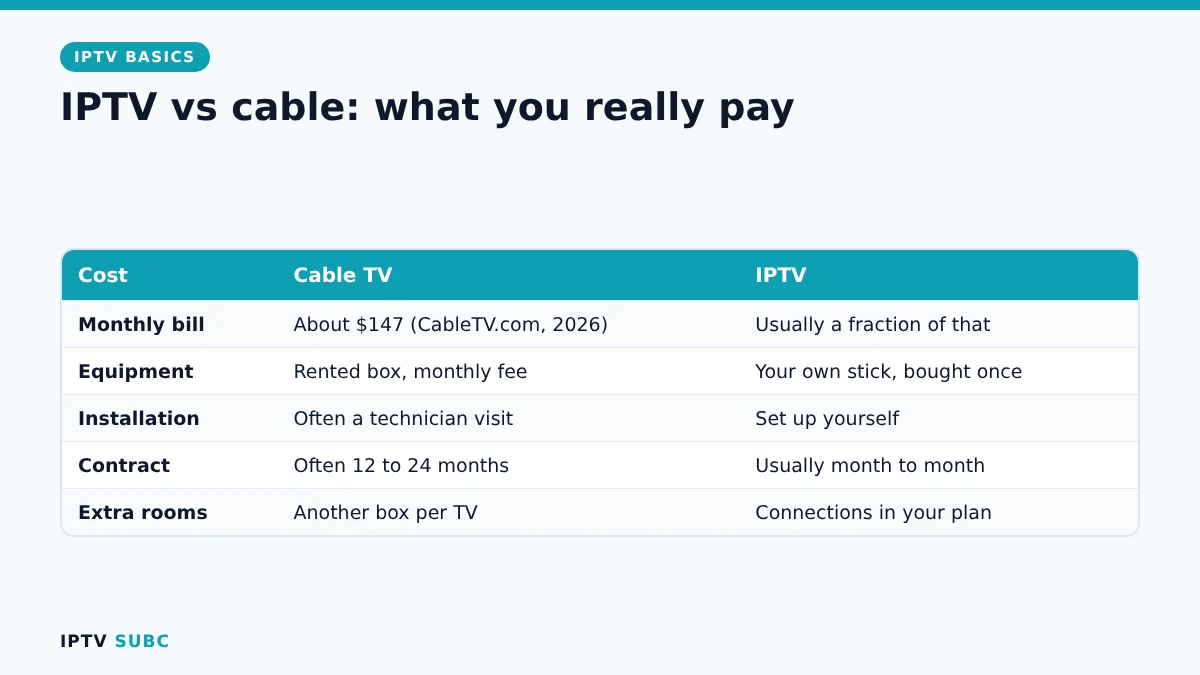
| Cost | Cable TV | IPTV |
|---|---|---|
| Monthly price | About $147 on average | Usually a fraction of that, depending on the service |
| Equipment | Rented box, often a monthly fee | Your own stick or smart TV, bought once |
| Installation | Often a technician visit and fee | You set it up yourself in under an hour |
| Contract | Often 12 to 24 months | Usually month to month |
| Extra rooms | Another box per TV | Depends on the connections in your plan |
| Hidden fees | Broadcast, regional sports, box rental | Usually none beyond the plan |
For example, a family paying $147 a month for cable spends more than $1,700 a year. Even after buying a streaming stick for each TV, switching can often cut that bill by more than half.
IPTV vs cable: features compared
| Feature | Cable TV | IPTV |
|---|---|---|
| Where you watch | TVs with a cable box | Any TV, phone, tablet or laptop |
| TV guide | Built into the box | In the player app (called the EPG) |
| Catch-up and on demand | Limited, depends on package | Often included |
| Recording | DVR box, sometimes extra cost | In some players and services |
| Reliability | Very stable | Depends on your internet and the provider |
| Setup | Technician installs it | You install an app |
In short, IPTV gives you more flexibility and usually more features for the money. Cable gives you predictability.
Reliability: the honest trade-off
Cable rarely buffers, because the signal does not compete with other internet traffic. IPTV, on the other hand, shares your broadband with everything else in the house. So if three people are gaming, video-calling and downloading at once, an IPTV stream can stutter.
Fortunately, most of this is fixable. A wired connection, the 5 GHz Wi-Fi band and enough speed per TV solve the majority of problems. Our IPTV buffering guide covers each fix. What you cannot fix at home is a poor provider, which is why testing during a trial matters so much.
When cable is still the better choice
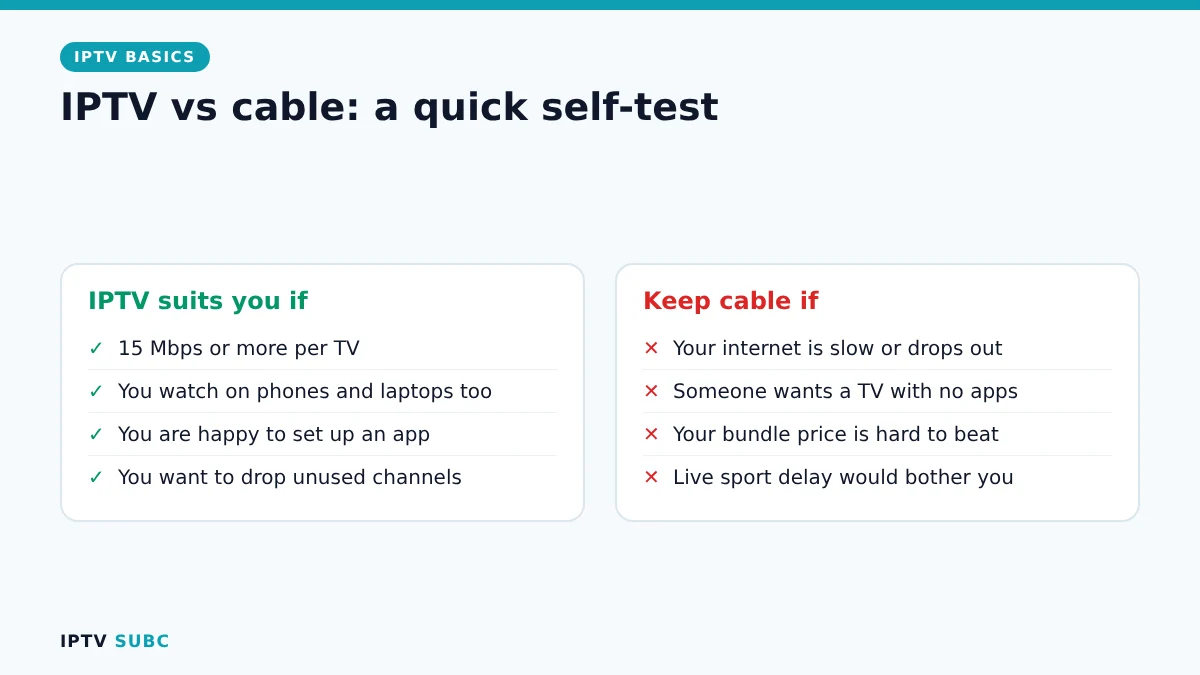
- Your internet is slow (under about 15 Mbps per TV) or often drops out.
- Someone at home wants a TV that “just works” with a familiar remote and no apps.
- Your cable package is bundled with internet at a price that is hard to beat.
- You watch live sport where even a few seconds of delay would bother you.
When IPTV is the better choice
- You have a steady connection of 15 Mbps or more for each TV that watches at once.
- You want to watch on several devices, including phones and laptops.
- You are happy to spend 20 minutes setting up an app.
- You want to stop paying for hundreds of channels you never watch.
How to switch without losing anything
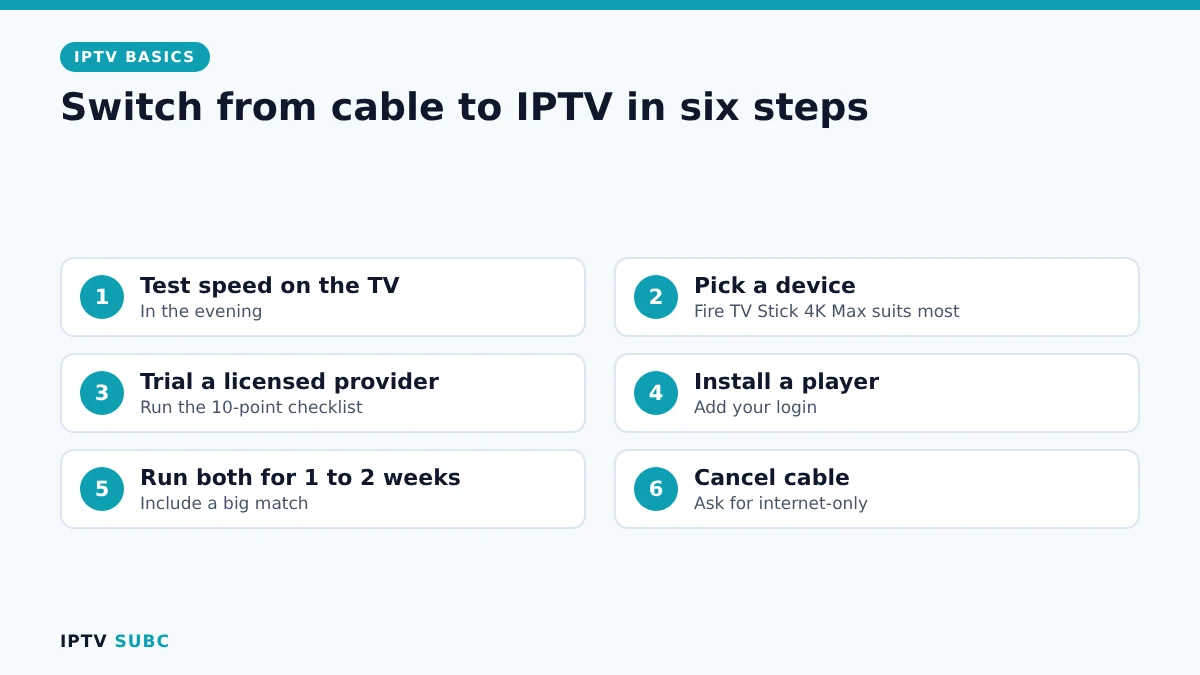
- Test your speed on the TV you watch most, in the evening, not on your phone at noon.
- Pick a device. A Fire TV Stick 4K Max suits most people; see the best devices for IPTV for alternatives.
- Choose a licensed service using our guide on how to choose an IPTV provider, and start with a trial.
- Install a player and add your login, following IPTV on Firestick.
- Run both for a week or two, including a big match or a busy evening.
- Cancel cable only when everyone at home is happy. Ask for an internet-only plan if your TV and internet are bundled.
Good to know: only use services that hold the rights to the channels they sell. A suspiciously cheap service with every premium channel is usually unlicensed, and it can stop working at any time.
For a second comparison with more cost examples, see IPTV vs Cable TV on Legion Webs.
FAQ
Is IPTV cheaper than cable?
In most cases, yes. Cable averages about $147 a month, while IPTV and streaming plans usually cost much less, with no box rental or long contract.
Is the picture as good as cable?
It can be better, with many channels in Full HD or 4K. It depends on your internet speed and on the provider.
Can I keep my internet and cancel only the TV part?
Usually yes. Ask your provider for an internet-only plan, and check whether a bundle discount disappears.
Does IPTV vs cable change if I only watch sport?
Sport is the toughest test for any IPTV service. Test during a big match before you switch.
Will my local channels still work?
That depends on the service. Check the channel list during the trial, or keep a cheap aerial for local channels.
Next steps
Before you pay for anything, read how to choose an IPTV provider. Then follow the Firestick quick start.
As an Amazon Associate, we earn from qualifying purchases made through device links on this page.