
Key takeaway: IPTV Smarters Pro on Fire TV is free, but it is not in the Amazon Appstore. You install it with Downloader from the official website, log in with the Xtream Codes details or M3U link your provider sent, and adjust two or three settings. Allow about ten minutes.
IPTV Smarters Pro is one of the most popular players on Fire TV because it is free, easy to navigate with a remote and works with almost every provider. Its menus for films and series, with posters and descriptions, are especially friendly.
In this guide you will install IPTV Smarters Pro on Fire TV safely, log in, learn the main screen and set it up for smooth playback. Each step explains what you will see, so you never have to guess.
Important: IPTV Smarters does not include any channels. It is only a player, like a DVD player without discs. You need a subscription from an IPTV provider, and you should only use services that are licensed to offer their content.
What you need
- A Fire TV device running Fire OS (the 4K Select and second-generation HD run Vega OS and cannot install it)
- Downloader, set up as in our Downloader on Fire TV guide
- Your login: server URL, username and password, or an M3U link
- About ten minutes
Step 1: Download from the official website
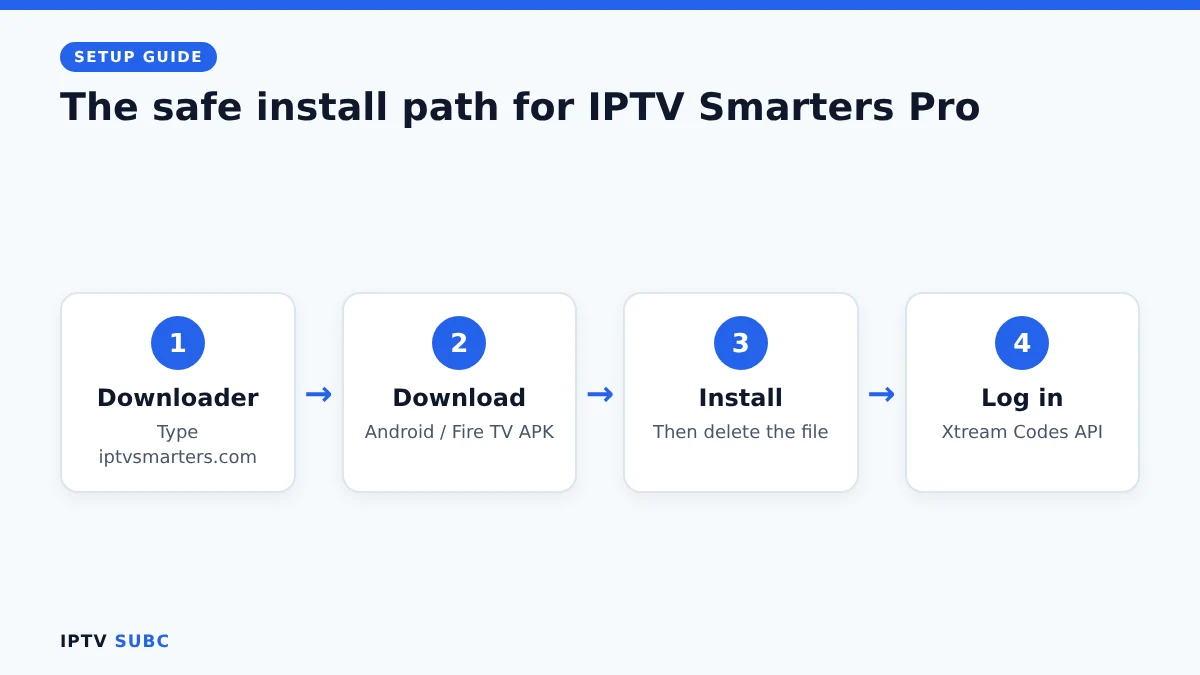
- Open Downloader on your Fire TV.
- Select the address bar, type iptvsmarters.com and select Go. The official IPTV Smarters website opens inside Downloader.
- Move to the Downloads section of the site.
- Choose the Android / Fire TV (APK) download for IPTV Smarters Pro.
- Wait for the download to finish.
Why not a shortcut code? Many websites share short Downloader codes, but those codes redirect through someone else’s server, so you cannot see which file you get. The official website is the safest way to avoid modified copies.
Step 2: Install the app
- When the install screen appears, select Install.
- When it says App installed, select Done (not Open).
- Downloader offers to delete the file. Select Delete, then Delete again to free up storage.
If you see “There was a problem parsing the package”, the download was incomplete. Delete it and download again.
Step 3: Open the app and accept the terms
- Hold the Home button, choose Apps and scroll to the end to find IPTV Smarters Pro.
- Open it. On first launch, read the Terms of Use and select Accept.
- Choose the TV layout when the app asks which device you are using.
Tip: highlight the app, press the menu button (three lines) and choose Move to put it on your Home screen.
Log in to IPTV Smarters Pro on Fire TV
Your provider gives you one of two login types. Xtream Codes is the better choice when available, because channels, films and the TV guide load automatically. Our guide to M3U vs Xtream Codes explains why.
| Field | What to enter |
|---|---|
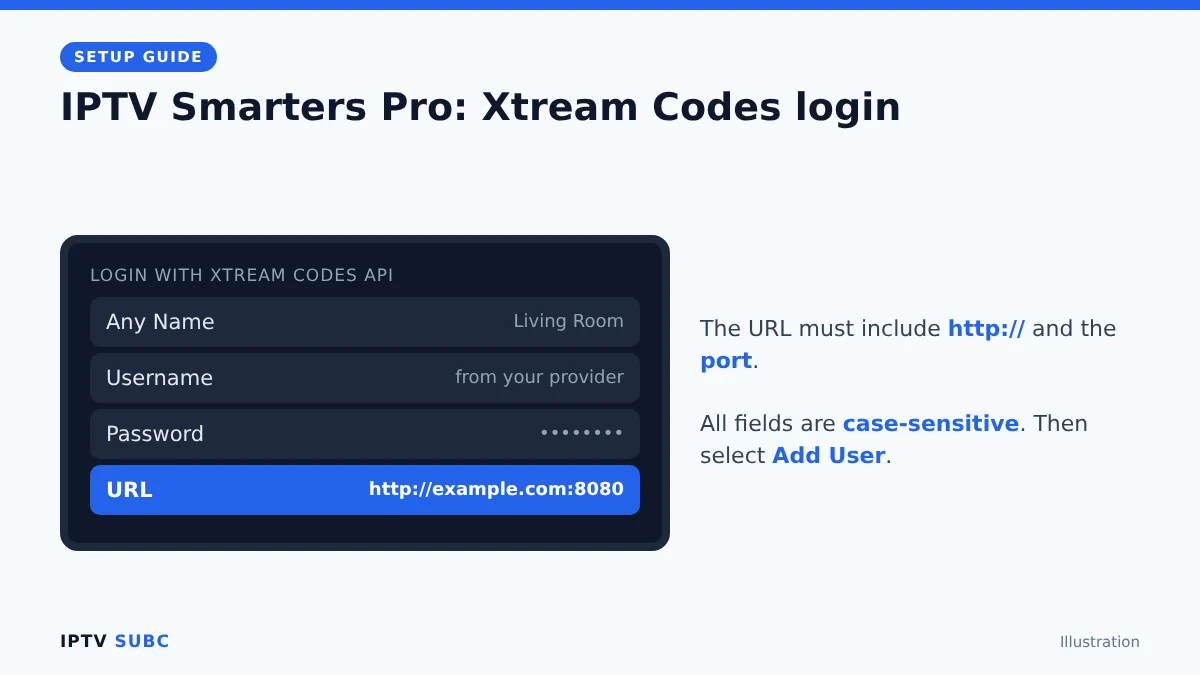
| Any Name | A name you like, for example Living Room |
| Username | The username from your provider |
| Password | The password from your provider |
| URL | The server address with http:// and the port, for example http://example.com:8080 |
- Select Login with Xtream Codes API.
- Fill in the four fields exactly as your provider sent them. They are case-sensitive.
- Select Add User. The app downloads your channels, films, series and guide. The first time can take a minute.
Only have an M3U link? Choose Load Your Playlist or File/URL, give it a name, select M3U URL, paste the link and select Add User. With M3U you may need to add the TV guide yourself in the settings.
Find your way around the main screen
| Section | What it does |
|---|---|
| Live TV | Live channels, sorted by category |
| Movies / Series | On-demand videos from your provider |
| Catch up | Shows from recent days, if your provider supports it |
| Install EPG | Download or refresh the TV guide |
| Multi-Screen | Watch up to four channels at once (needs a strong connection) |
Best IPTV Smarters Pro on Fire TV settings
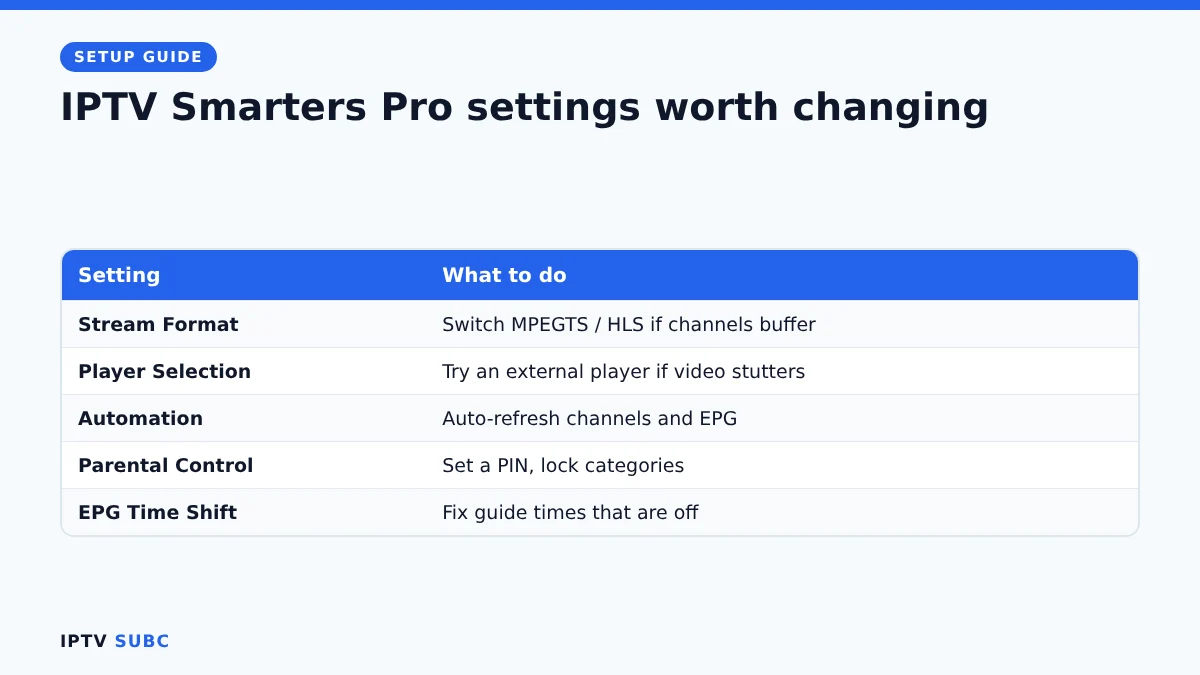
Open Settings (the gear icon on the main screen) and check these:
- Stream Format: if channels buffer, try switching between MPEGTS (.ts) and HLS (.m3u8). One usually works better with your provider.
- Player Selection: keep the built-in player, or try an external player such as VLC if videos stutter.
- Automation: turn on automatic refresh of channels and EPG so your guide stays current.
- Parental Control: set a PIN and lock categories you do not want others to see.
- EPG Time Shift: fix the guide if programme times are off by an hour or more.
Troubleshooting
| Problem | Fix |
|---|---|
| “Invalid username or password” | Retype the details carefully; check the URL has http:// and the port; ask your provider if the account is active |
| Channels load but the guide is empty | Use Install EPG to refresh; with M3U, add your provider’s EPG link |
| Buffering or freezing | Change Stream Format, try an external player, restart the Fire TV and test your speed |
| App is slow or crashes | Settings, Applications, Manage Installed Applications, IPTV Smarters Pro, Clear cache |
| App will not install | Your device may run Vega OS, or the download was incomplete |
Still stuck? Our IPTV buffering guide covers playback problems step by step. For another walkthrough, see IPTV Smarters Pro on Firestick on Legion Webs.
FAQ
Is IPTV Smarters Pro free?
Yes. The player is free; you only pay for the IPTV subscription you load into it.
Is IPTV Smarters Pro legal?
Yes. It is a legal media player with no content of its own. Choose a provider that is licensed for its channels.
Does it work on every Firestick?
It works on every Fire OS model, including the 4K Max, 4K Plus, first-generation HD and Fire TV Cube, but not on Vega OS models such as the 4K Select.
Why is it not in the Amazon Appstore?
It is not currently listed there, so Fire TV users install it from the official website with Downloader.
Can I use one account on several devices?
That depends on your provider. Check how many connections your plan includes.
Next steps
Prefer live TV with a cable-style guide? Compare it with TiviMate in our best IPTV player for Fire TV guide, or set up TiviMate on Fire TV.