Key takeaway: The best Firestick Black Friday buy in 2026 is the Fire TV Stick 4K Max, with the 4K Plus as the cheaper pick and the Fire TV Cube for power users. All three run Fire OS, so Downloader and IPTV players still work. Skip the 4K Select, the new 3rd-gen Fire TV Stick 4K and the 2026 Fire TV Stick HD if you install apps outside the Appstore: they run Vega OS.
Some links in this guide are affiliate links. As an Amazon Associate, IPTV SUBC earns from qualifying purchases.
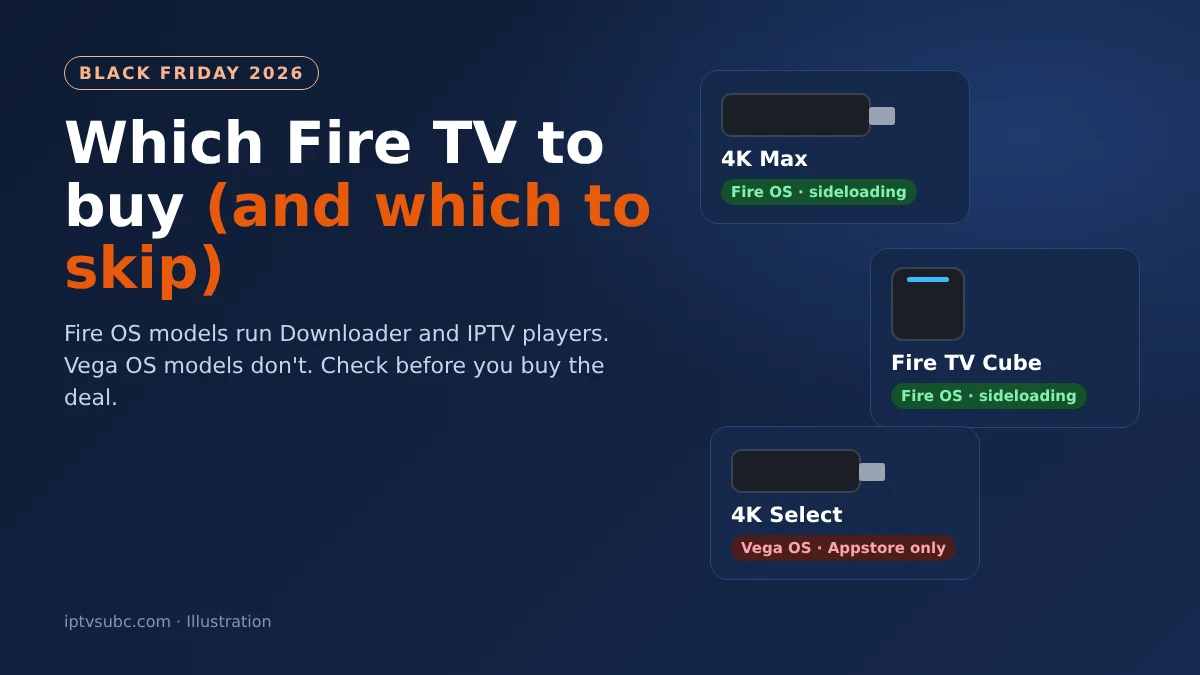
Fire TV devices are some of the most discounted products every Black Friday. This year, however, a cheap deal can be the wrong device. Since late 2025, Amazon has been moving new Fire TV Sticks to Vega OS, its own system. Vega OS models only install apps from the Amazon Appstore, so Downloader, TiviMate and other sideloaded apps will not install.
This guide shows which models to buy on Black Friday, which to skip, and how to check you are getting the right one before you pay.
In this guide
Fire OS or Vega OS: check before you buy
The home screen looks almost the same on both systems, so the model name is the easiest way to tell them apart. According to AFTVnews, these are the current models:
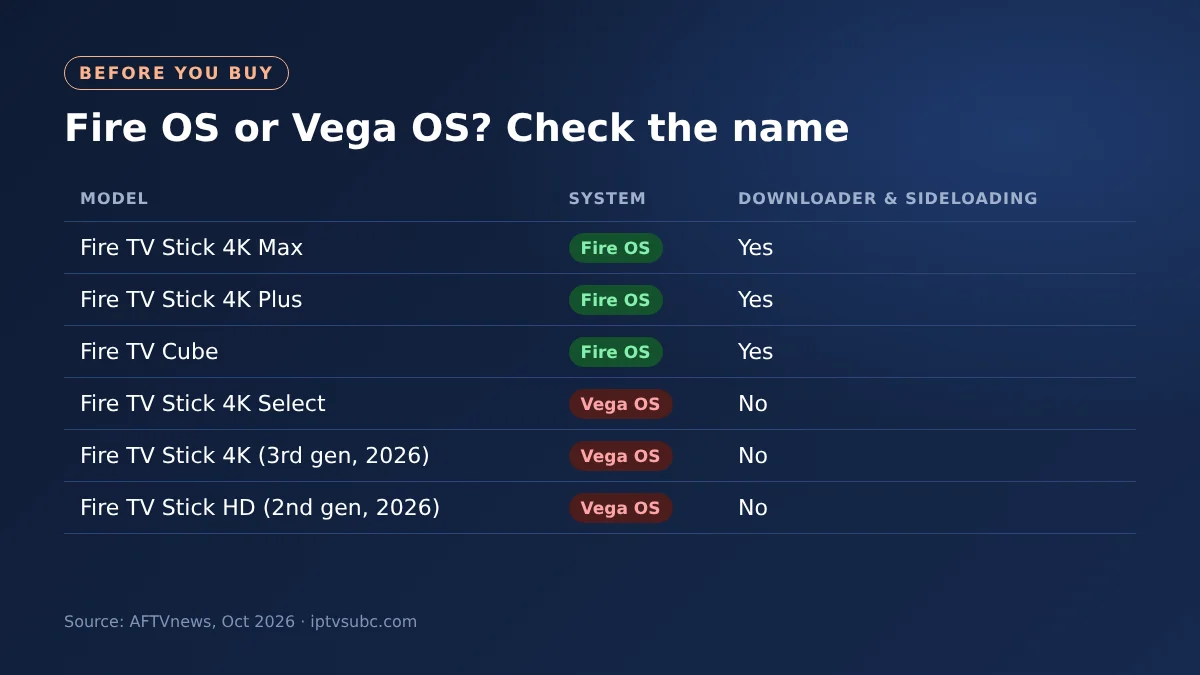
| Model | System | Downloader and sideloading |
|---|---|---|
| Fire TV Stick 4K Max | Fire OS | Yes |
| Fire TV Stick 4K Plus | Fire OS | Yes |
| Fire TV Cube (3rd gen) | Fire OS | Yes |
| Fire TV Stick 4K Select | Vega OS | No |
| Fire TV Stick 4K (3rd gen, 2026) | Vega OS | No |
| Fire TV Stick HD (2nd gen, 2026) | Vega OS | No |
In short: if the name has Max, Plus or Cube in it, it runs Fire OS. The safest check is still the full product name on the deal page.
The best Firestick Black Friday picks
1. Fire TV Stick 4K Max: best for most people
The 4K Max is the fastest Fire TV Stick and the one we recommend for IPTV players. It has Wi-Fi 6E, 16 GB of storage and plenty of speed for a full TV guide. It is also usually discounted on Black Friday.
- The fastest Fire TV Stick, with Wi-Fi 6E
- 16 GB of storage for apps
- Runs Downloader and IPTV players like TiviMate
Opens Amazon. Affiliate link: we may earn a commission.
2. Fire TV Stick 4K Plus: the cheaper Fire OS stick
If you want to spend less but still need Downloader, the 4K Plus is the one to get. It streams in 4K HDR and runs the same apps as the 4K Max. It usually costs less than the 4K Max.
- 4K HDR streaming
- Runs Downloader and sideloaded players
- Costs less than the 4K Max
Opens Amazon. Affiliate link: we may earn a commission.
3. Fire TV Cube: for power users
The Cube is the most powerful Fire TV and the only one with a built-in Ethernet port, so it is the best choice for a steady wired connection. You can also talk to Alexa hands-free from across the room.
- Built-in Ethernet port for a wired connection
- Hands-free Alexa from across the room
- The fastest processor in the Fire TV range
Opens Amazon. Affiliate link: we may earn a commission.
Which Fire TV models to skip
The following models are fine if you only use Appstore apps such as Netflix, Prime Video and YouTube. However, skip them if you want Downloader or an IPTV player that is not in the Appstore:
- Fire TV Stick 4K Select: the first Vega OS model, launched in October 2025.
- Fire TV Stick 4K (3rd gen, 2026): no Plus or Max in the name, and it runs Vega OS.
- Fire TV Stick HD (2nd gen, 2026): same name as the older HD, but it runs Vega OS. The new one has Wi-Fi 6 and rounded corners.
Because these are newer and cheaper, they are often the most heavily promoted Black Friday deals. So read the full product name on the deal before you add it to your basket.
Which one should you buy?
| If you… | Buy |
|---|---|
| Want the best all-round stick for IPTV | Fire TV Stick 4K Max |
| Want a cheaper stick that still runs Downloader | Fire TV Stick 4K Plus |
| Want a wired connection and hands-free Alexa | Fire TV Cube |
| Only watch Netflix, Prime Video and YouTube | Any model, including Vega OS ones |
Add-on worth buying: an Ethernet adapter
If your streams buffer in the evening, a wired connection often helps more than a faster stick. The Fire TV Sticks have no Ethernet port, but an adapter adds one. See how to stop IPTV buffering and our Fire TV Ethernet adapter guide for the other fixes.
- Wired internet for Fire TV Sticks
- Steadier streams than weak Wi-Fi
- Connects between the stick and its power adapter
Opens Amazon. Affiliate link: we may earn a commission.
When do the Firestick Black Friday deals start?
Black Friday is Friday 27 November 2026, and Cyber Monday is 30 November. In recent years, Amazon has started its Black Friday deals on its own devices about a week early. Firestick Black Friday deals can change during the week, so check the deal on the day you buy.
Tip: add the device you want to your Amazon basket or wish list now. Then you only need to check one page when the deals go live.
After you buy: set it up properly
- Check the system right away: go to Settings, My Fire TV, About. It should say Fire OS.
- Choose a player: see TiviMate or IPTV Smarters.
- Protect your streaming with a VPN: see our NordVPN on Fire TV guide.
Note: a Firestick and IPTV player apps do not include any channels. You add a playlist or login from your own service.
FAQ
Is the Fire TV Stick 4K Max worth it on Black Friday?
Yes. It is the fastest Fire TV Stick, it runs Fire OS, and it is usually discounted on Black Friday.
Can I use Downloader on the Fire TV Stick 4K Select?
No. The 4K Select runs Vega OS, which only installs apps from the Amazon Appstore.
Which Fire TV models run Fire OS in 2026?
The Fire TV Stick 4K Max, 4K Plus, Fire TV Cube and the 1st-gen Fire TV Stick HD run Fire OS.
Will Amazon update my 4K Max to Vega OS?
According to AFTVnews, existing Fire OS devices will not be moved to Vega OS.
When is Black Friday 2026?
Black Friday is 27 November 2026 and Cyber Monday is 30 November 2026.
What’s next
- Stop IPTV buffering: fixes that work on any stick.
- Fire TV Ethernet adapter: when and how to go wired.
- Using a VPN with IPTV: what it changes.
Free download
Firestick + IPTV Setup Checklist
Two printable pages: install, login, the settings that make it faster and quick fixes for buffering and an empty guide.
We’ll send occasional new guides. No spam, unsubscribe any time. Privacy