
Key takeaway: IPTV multiview shows several live channels on one screen, perfect for match days with games kicking off at once. IPTV Smarters Pro offers it free as Multi-Screen, TiviMate includes it with Premium, and each extra window needs its own share of bandwidth and a connection from your plan.

On a busy sports weekend, one channel is rarely enough. Multiview splits your TV into two, three or four windows, so you can follow several games, or keep the news running in a corner while you watch something else. Many IPTV players support it, and it is easier to set up than most people think.
This guide explains what IPTV multiview is, which popular players offer it, how much internet speed and how many connections it needs, and how to keep it smooth. It is written for beginners.
In this guide
What IPTV multiview is
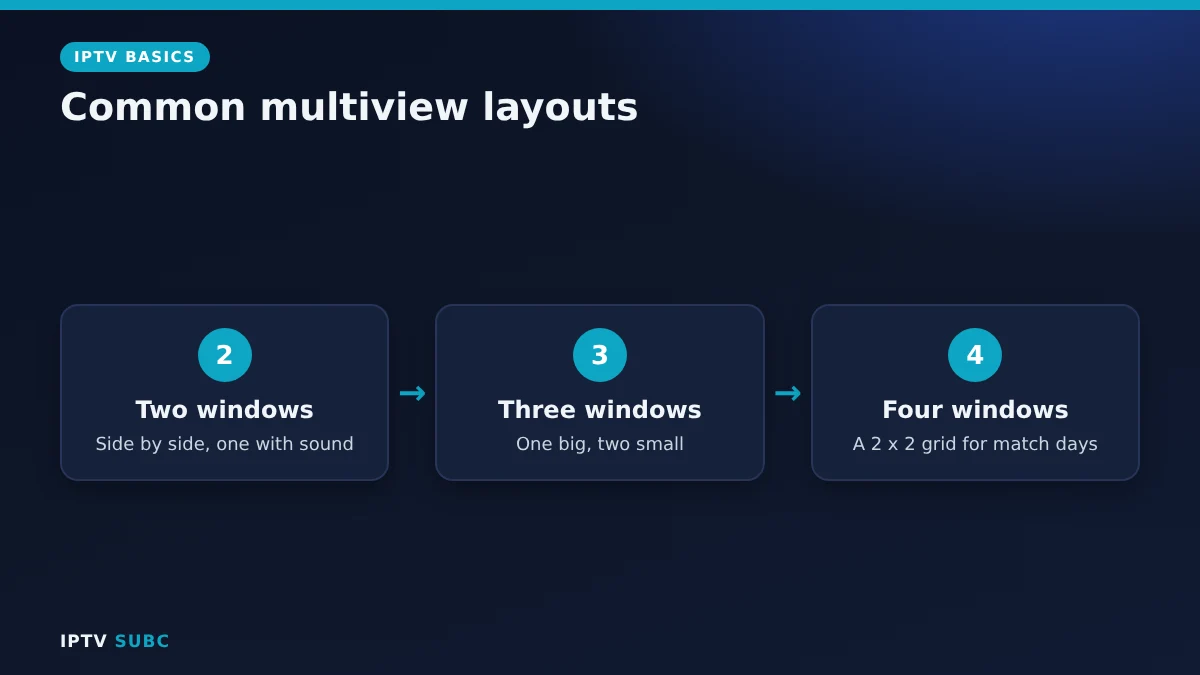
Multiview (also called multi-screen or split screen) plays several streams at the same time in separate windows. Usually one window has the sound, and you can switch the audio or make any window full screen with the remote.
Each window is a separate stream from your provider. That simple fact explains the two things to check before you start: your speed and your connections.
Which players offer multiview
| Player | Multiview | Cost |
|---|---|---|
| IPTV Smarters Pro | Multi-Screen, up to four channels | Free |
| TiviMate | Multiview | Part of Premium |
| Others | Varies by app and version | Check the app |
In IPTV Smarters Pro, Multi-Screen appears on the main screen; choose a layout, then pick a channel for each window. In TiviMate, multiview is one of the Premium features, together with recording and multiple playlists; see TiviMate on Fire TV for setup. Menu names can change between versions, so check your app’s main screen and settings.
How much speed IPTV multiview needs
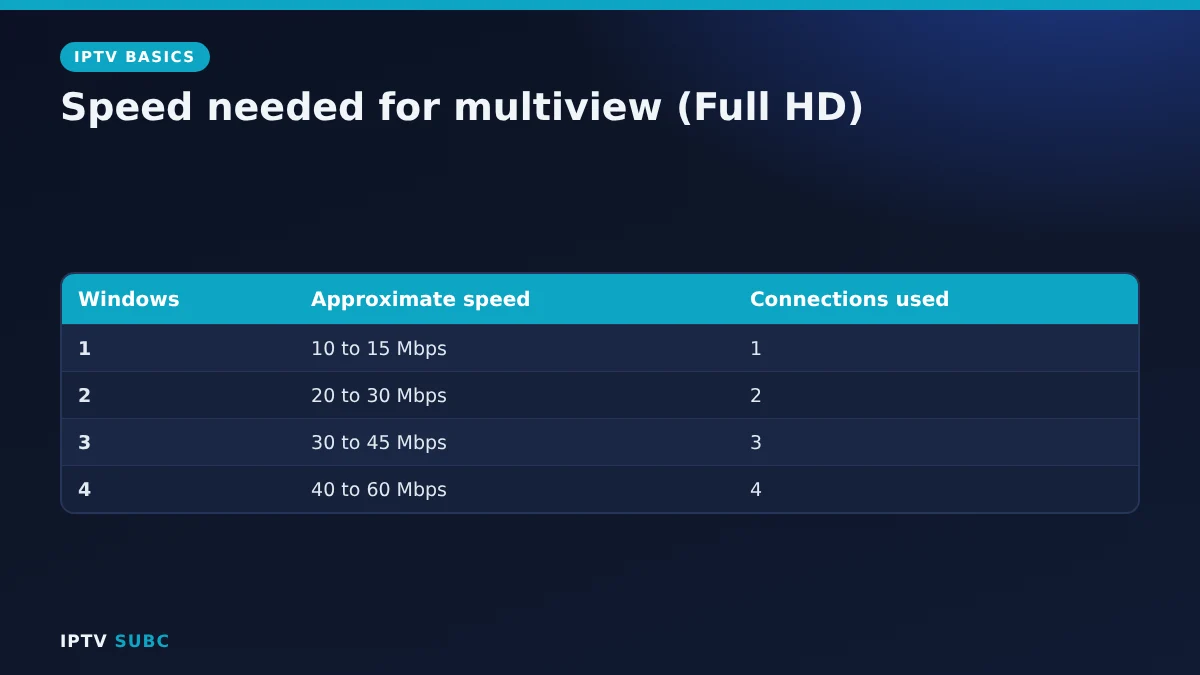
Add up the windows. As a rough guide, each Full HD channel needs about 10 to 15 Mbps on the TV device, so:
| Windows | Approximate speed needed (Full HD) |
|---|---|
| 1 | 10 to 15 Mbps |
| 2 | 20 to 30 Mbps |
| 3 | 30 to 45 Mbps |
| 4 | 40 to 60 Mbps |
On top of that, add anyone else streaming at home. Run a speed test on Fire TV in the evening to see what your stick really gets.
Connections: the hidden limit
Most IPTV plans limit how many streams can play at the same time. Because every multiview window is a stream, four windows can use four connections. If your plan allows fewer, the extra windows will refuse to play or show an error. Check your plan before match day, and remember that other TVs in the house count too.
How to keep multiview smooth
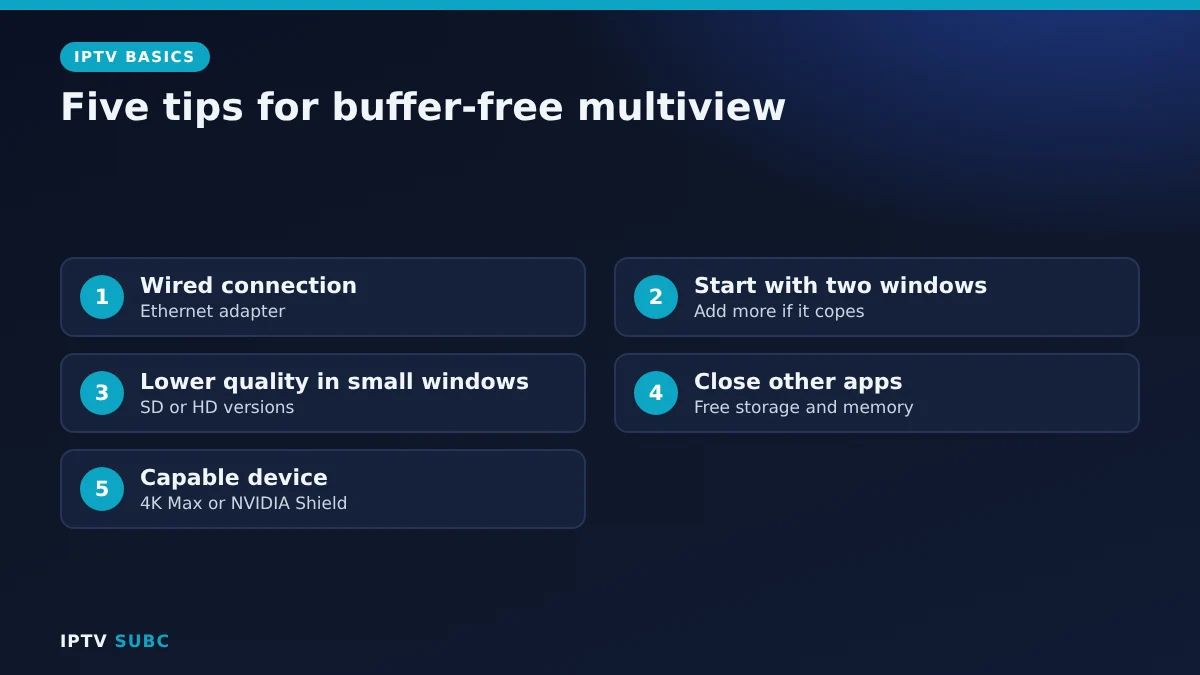
- Use a wired connection if you can; see Fire TV Ethernet adapter.
- Start with two windows, then add more once you know your connection copes.
- Choose SD or HD versions of channels for the small windows if your provider offers them.
- Close other apps and keep storage free; see Fire TV storage full.
- Use a capable device. Four HD streams are demanding; a Fire TV Stick 4K Max or an NVIDIA Shield handles them far better than an older stick.
Multiview on other devices
Multiview is not only for Fire TV. On Android TV boxes such as the NVIDIA Shield, the same players offer the same features, often with more power to spare. On phones and tablets, the screen is small, so two windows are usually the practical limit. Meanwhile, on a laptop you can simply open several player windows side by side. In every case, the rules stay the same: each window is a stream, so it needs speed and a connection from your plan. For device choices, see the best devices for IPTV.
Troubleshooting
| Problem | Fix |
|---|---|
| Extra windows will not play | You hit your plan’s connection limit |
| All windows buffer | Not enough speed; drop a window or use Ethernet |
| Stick gets hot and stutters | Heavy load; see Fire TV overheating |
| No sound | Select the window you want to hear |
| Option missing in TiviMate | Multiview needs Premium |
Good to know: players contain no channels. Only use services that hold the rights to the channels they offer; see how to choose an IPTV provider.
Because every window uses a connection, multi-connection plans matter for multiview; see 4KFlexHub’s multi-connections plan for an example of how providers package them.
FAQ
Is IPTV multiview free?
In IPTV Smarters Pro, Multi-Screen is free. In TiviMate, multiview is part of Premium.
How many channels can I watch at once?
Usually up to four, limited by the player, your speed and your plan’s connections.
Does multiview use more data?
Yes. Each window streams separately, so data use multiplies.
Can I hear two channels at once?
Normally only one window plays sound at a time.
Will multiview work on an old Fire TV Stick?
Two windows may work; four HD windows usually need a newer, faster device.
Next steps
Check your speed with a speed test on Fire TV, then set up IPTV Smarters Pro on Fire TV to try Multi-Screen.
As an Amazon Associate, we earn from qualifying purchases made through device links on this page.