
Key takeaway: Formuler MyTV Online setup is quick once you know where to look: open Menu, Content Manager, Content Sources, then add your provider’s portal URL (MAC ID login), Xtream Codes details or M3U playlist. The guide and channels load in a minute or two.
Formuler boxes, for example the Z11 series, run Android but are built around one app: MyTV Online (written MYTVOnline by Formuler). It looks and behaves like a cable box, with a full-screen TV guide and fast channel switching. That is why many IPTV users who outgrow a Fire TV Stick move to a Formuler.
However, the catch is that MyTV Online accepts three different login types, and each one sits in a slightly different place. This guide explains all three in plain English, shows you where to find your MAC ID, and walks you through the Formuler MyTV Online setup step by step, with fixes for the errors people hit most.
What you need
- Your Formuler box with MyTV Online (this guide follows MYTVOnline 3, used on current models such as the Z11 series)
- The provider’s details: a portal URL, Xtream Codes login or M3U link
- Ideally, a network cable to your router, or else 5 GHz Wi-Fi
- About 15 minutes
Good to know: Formuler makes the box and the app. It does not supply channels or portal URLs; those come from your IPTV provider, so use a licensed service. Formuler says the same in its own MYTVOnline setup article.
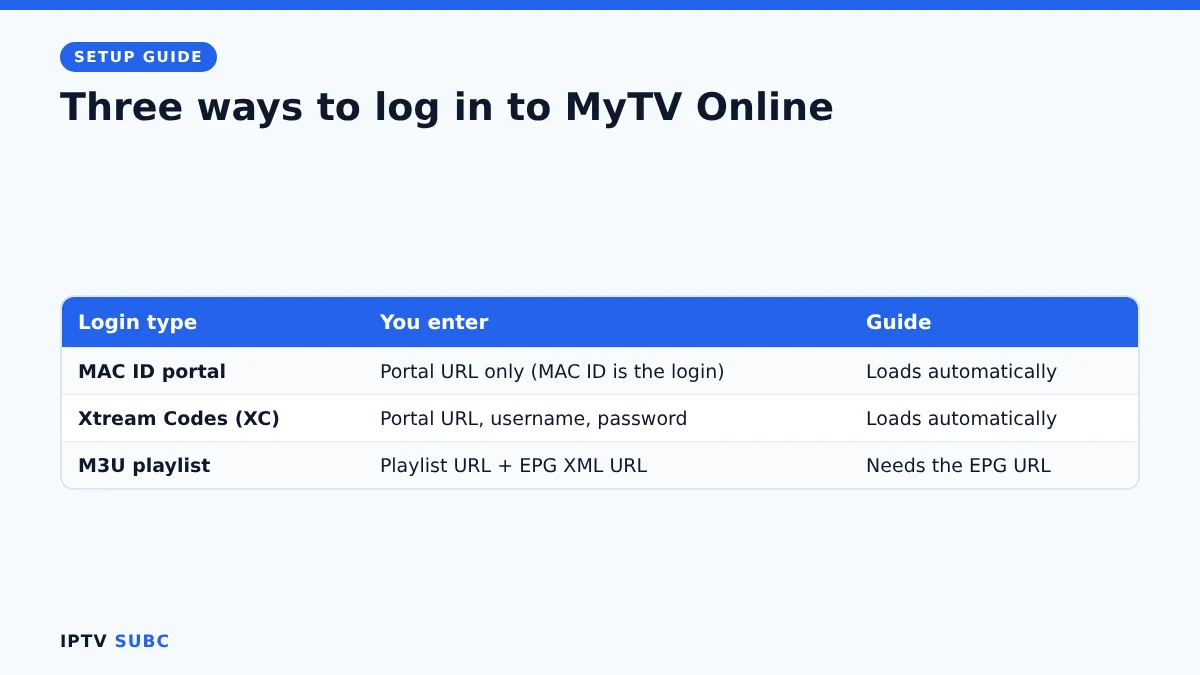
Three ways to log in
| Login type | What you enter | Best for |
|---|---|---|
| MAC ID portal (Stalker) | Portal URL only; the box’s MAC ID is the login | Providers that support MAG-style portals |
| Xtream Codes (XC) | Portal URL, username and password | Most providers; guide and VOD load automatically |
| M3U playlist | Playlist URL, plus a separate EPG (guide) URL | Providers that only send a playlist link |
If your provider offers more than one, then Xtream Codes or the MAC portal are usually the smoothest in MyTV Online, because the TV guide and film library arrive automatically. Our guide to M3U vs Xtream Codes explains the difference.
Step 1: Connect and update the box
- First, connect the box to your TV with HDMI and to your router with a network cable.
- Then switch it on and complete the first-time setup (language, network, time zone).
- Finally, check for system and app updates in the box’s settings before you add your provider. An up-to-date MyTV Online avoids many login problems.
Step 2: Find your MAC ID (for portal logins)
For example, if your provider uses a MAC portal, they need your box’s MAC ID before they can activate you.
- On the label on the box itself.
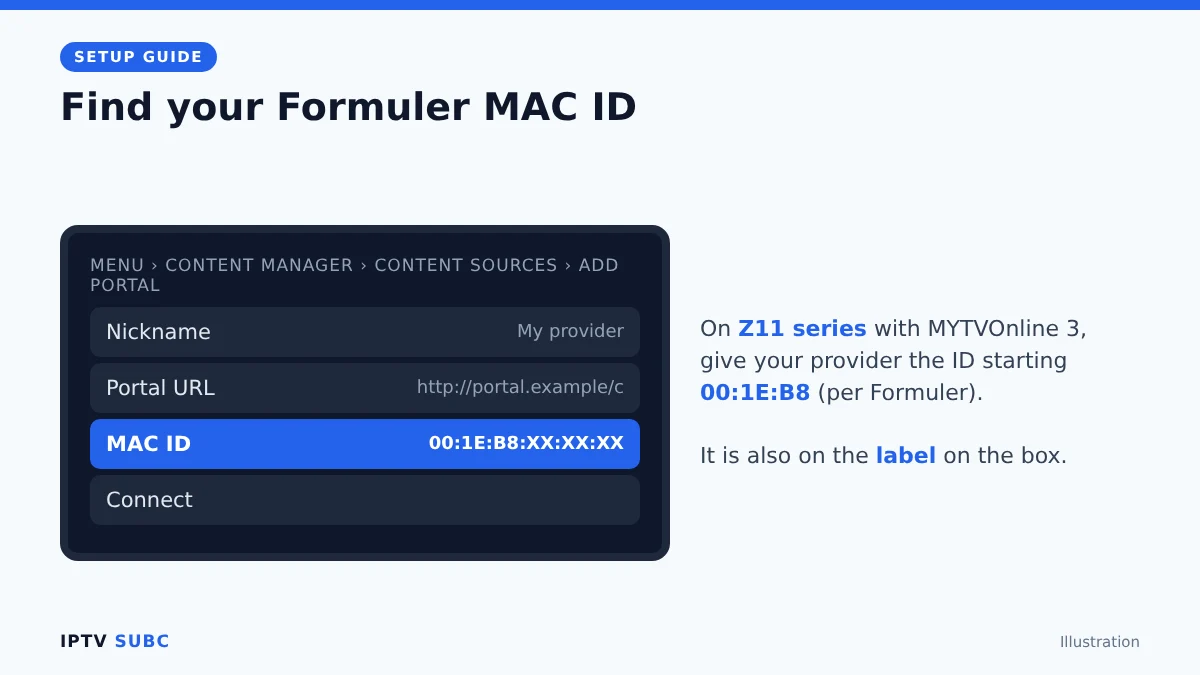
- In MyTV Online 3: go to Menu, Content Manager, Content Sources, Add Portal. The ID is shown on the portal connection screen.
According to Formuler, the Z11 series with MYTVOnline 3 uses a newer ID that starts with 00:1E:B8, and that is the one to give your provider. In contrast, older setups use IDs that start with 00:1A. Therefore, copy it in capital letters with colons, character by character.
Step 3: Add your provider
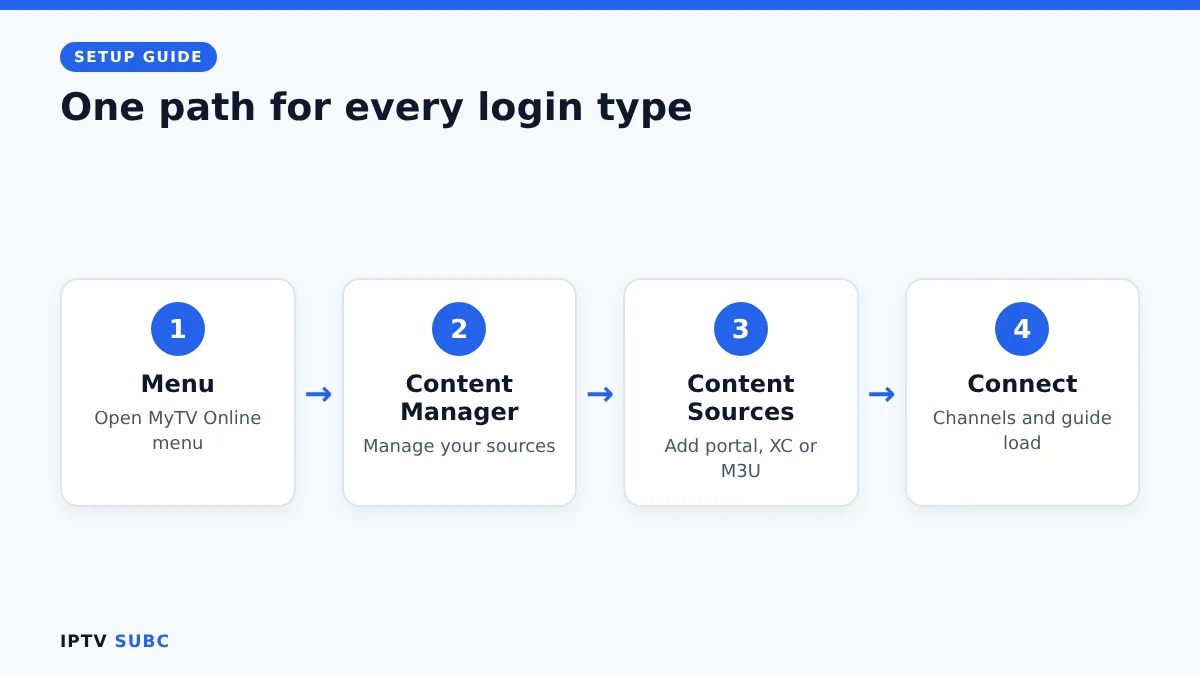
Fortunately, all three login types start in the same place: Menu, Content Manager, Content Sources.
Option A: MAC ID portal
- First, select Add Portal.
- Next, type a nickname, then the portal URL your provider sent, for example one ending in /c.
- Leave the ID and password fields empty unless your provider says otherwise.
- Finally, select Connect. MyTV Online loads the channel groups and guide.
Option B: Xtream Codes (XC)
- First, add a new source and type a nickname.
- Then enter the portal URL, including http:// and the port if your provider gave one.
- After that, turn on the login option and enter your username and password.
- Finally, connect and wait for the channels to load.
Option C: M3U playlist
- First, add a playlist source and paste the M3U URL.
- Next, enter the EPG XML URL your provider sent, so the TV guide fills.
- Finally, save and wait for the playlist to load.
Keep in mind that menu labels can change slightly with app updates, but the path through Content Manager and Content Sources stays the same.
Step 4: Make the guide and channels comfortable
- Guide offset: if programmes look shifted by an hour, adjust the EPG offset in MyTV Online’s settings. Formuler has a separate article on setting EPG mode and offset.
- Favourites: add the channels you watch most, so you can skip long category lists.
- Hide groups: hide channel groups you never watch to speed up browsing.
- Updates: let the guide refresh daily so it never runs empty.
Also, if the guide stays blank, our IPTV guide not working checklist applies to MyTV Online too.
Formuler MyTV Online setup errors and fixes
| Problem | Likely cause | Fix |
|---|---|---|
| “Authorization failed” or account error | Provider has not activated your MAC ID, or it was copied wrong | Check the ID character by character; for Z11 with MYTVOnline 3 use the 00:1E:B8 ID |
| Portal will not connect | Wrong URL or no internet | Re-enter the URL exactly; check the cable and router |
| XC login fails | Typo in URL, username or password | Include http:// and the port; retype the details |
| M3U loads but no guide | EPG URL missing | Add the EPG XML URL from your provider |
| Buffering | Weak Wi-Fi or busy server | Use Ethernet; see our IPTV buffering fixes |
Formuler or MAG box?
In fact, both use the same MAC portal method, so many providers support both. On the one hand, a MAG box is simpler and runs only the portal; on the other hand, a Formuler runs Android, so you can also install other apps. If you are deciding, our MAG box IPTV setup guide shows how the MAG side works, and the best devices for IPTV compares everything else.
Many providers publish device guides alongside their portal details; the 4KFlexHub installation tutorial is one example.
FAQ
Is a Formuler box legal?
Yes. Formuler boxes and MyTV Online are legal and contain no channels. Legality depends on the service you add.
Which MAC ID do I give my provider?
On Z11 series boxes with MYTVOnline 3, the ID that starts with 00:1E:B8, according to Formuler. Check the portal connection screen if unsure.
Can I add more than one provider?
Yes. You can add several content sources and switch between them.
Does MyTV Online work with M3U links?
Yes. Add the playlist URL and the EPG URL your provider sent.
Can I install other players on a Formuler?
Yes. It runs Android, so other players can usually be installed too; check that the app supports your model.
Next steps
Compare login types in M3U vs Xtream Codes, or see how a MAG box differs in MAG box IPTV setup.